
Shopify gives you a strong foundation for ecommerce SEO, but your store can still develop technical, content, and on-page problems that limit organic visibility. The most common Shopify SEO issues include duplicate URLs from collection filters, inconsistent canonical tags, missing or incorrect H1 headings, thin collection and product content, slow themes, app bloat, weak metadata, and poor internal linking. These issues usually come from how a store is configured, customized, and maintained rather than from Shopify itself.
If your Shopify store is struggling to rank, start by checking indexation, crawlability, URL patterns, templates, content, and performance. A Shopify Focused SEO audit can show which problems affect your highest-value collection and product pages and which issues require theme or developer changes.
Shopify SEO Issues to Check First
The most important Shopify SEO problems usually fall into six areas: indexation, duplicate content, technical signals, content quality, site performance, and site architecture. Prioritize issues that repeat across templates or URL patterns because one template problem can affect hundreds or thousands of pages.
- Duplicate collection, tag, and filter URLs
- Multiple URLs for the same product
- Missing or incorrect H1 headings
- Duplicate titles and weak meta descriptions
- Conflicting robots.txt, noindex, and canonical signals
- Thin collection and product content
- Slow themes and excessive app code
- Weak internal linking and orphan pages
- Missing or incomplete schema markup
- Redirect chains, broken links, and migration errors
1. Collection, Tag, and Filter URLs Create Duplicate Pages
Shopify collection filters can generate URLs for attributes such as size, color, material, vendor, price, and availability. These URLs are useful for shoppers, but not every filtered state deserves to appear in Google.
For example, a collection such as /collections/women-shirts may produce filtered variations for long-sleeve, short-sleeve, or specific sizes. A large catalog can create thousands of combinations when multiple filters are applied together. Most combinations have little unique search value, even when the products themselves are valuable.
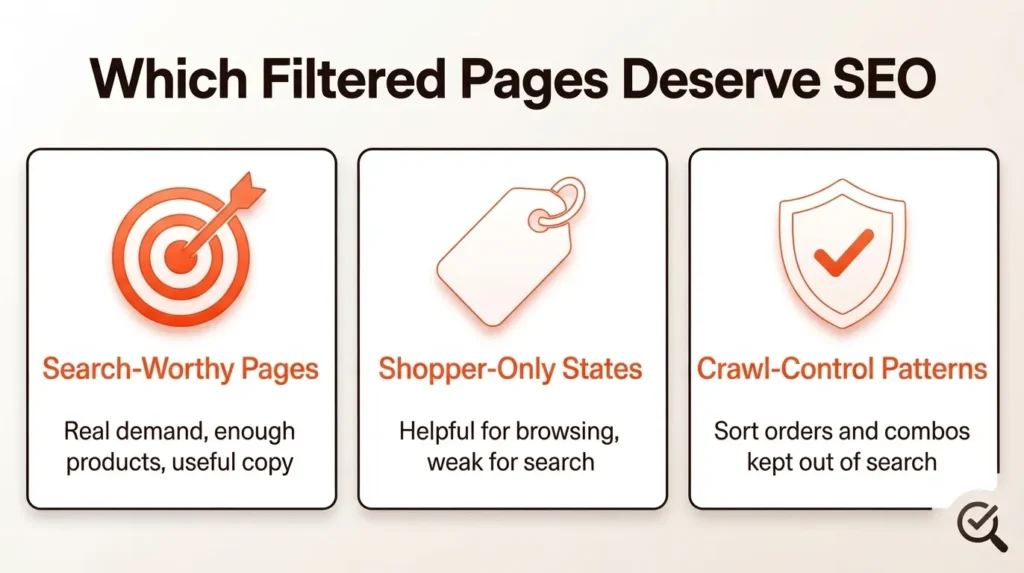
The solution is to classify filtered URLs by SEO value. Create indexable landing pages for filter combinations that have genuine search demand, enough products, useful content, and a clear reason to rank. Keep shopper-only filter states out of your organic search strategy through appropriate crawl and indexation controls.
Do not treat every filter URL as a duplicate that must be blocked. A valuable filtered collection can become a legitimate landing page when the page satisfies a distinct search intent. The goal is controlled faceted navigation, not blanket blocking.
2. Duplicate Product URLs Split Signals
A Shopify product can be accessible through its direct product URL and through a collection path. Variants can introduce additional URL parameters, while internal links may point to different versions of the same product.
This creates a canonicalization problem when internal links, sitemaps, canonical tags, and redirects do not consistently identify the preferred URL. Google can choose a canonical version, but you get better control when your site sends consistent signals.
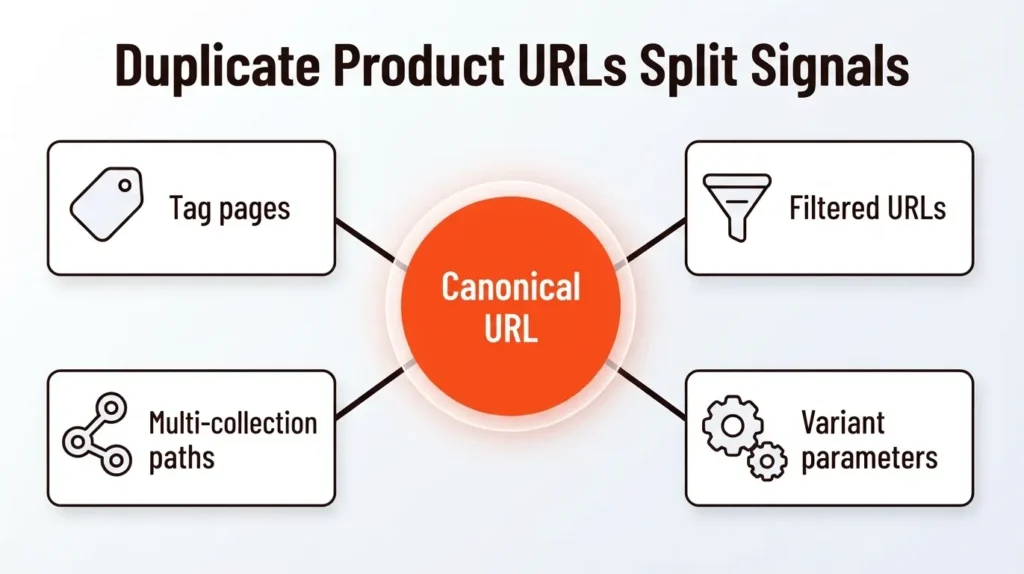
Use one preferred product URL across navigation, collection links, related products, XML sitemaps, and canonical tags. Review variant URLs and determine whether variants need separate indexable pages. When variants do not provide substantially different search values, consolidate signals toward the main product URL.
Canonical tags are important, but canonicalization should not operate alone. Consistent internal links and sitemap URLs reinforce the preferred version and reduce unnecessary crawling.
3. Missing or Incorrect H1 Headings
A missing H1 is an overlooked Shopify SEO problem, especially on collection pages. Some themes visually style a paragraph or another heading element so that the text looks like an H1 while the HTML uses a different element.
The fix is simple: make sure each important page has a clear primary heading represented by the correct HTML heading level. A collection page targeting “3 mm summer wetsuits,” for example, should have a collection-specific H1 that clearly identifies the page topic.
Shopify 2.0 themes can give you heading-level controls inside sections. Changing font size does not change the HTML element. A large paragraph remains a paragraph, and an H2 remains an H2 regardless of visual styling.
Check collection pages, product pages, homepage templates, landing pages, and custom templates. Make sure the H1 communicates the primary topic instead of using promotional text, repeated sitewide banners, or generic wording.
Not Sure Which Shopify SEO Issues Are Holding Your Store Back?
A technical issue on one template can affect hundreds of Shopify pages. Our Shopify SEO experts can audit your store, identify the problems affecting visibility, and prioritize the fixes that matter most.
Get a Shopify SEO Audit →
4. Duplicate Titles and Weak Meta Descriptions
Shopify allows you to edit SEO titles and meta descriptions, but the platform does not decide the best search strategy for every page. Theme logic can influence how metadata is rendered across products, collections, blogs, pagination, and filtered views.
Each important page needs a specific title that accurately describes the search intent and page content. Meta descriptions should explain the value of the page and encourage a qualified click without keyword stuffing.
Check for duplicate titles across product and collection templates, empty descriptions, repeated brand phrases, and metadata that changes incorrectly on filtered or paginated URLs. Review both the fields entered in Shopify and the HTML output generated by the theme.
Metadata will not compensate for poor content or indexation problems, but clean titles and descriptions help search engines and users understand the page and can support stronger click-through performance.
5. Robots.txt, Noindex, and Canonicals Do Different Jobs
Shopify SEO problems often occur because robots.txt, noindex directives, and canonical tags are treated as interchangeable controls. These mechanisms have different purposes.
Robots.txt controls whether crawlers can request particular URLs or paths. A noindex directive tells search engines not to keep a crawlable page in search results. A canonical tag signals the preferred version among similar URLs.
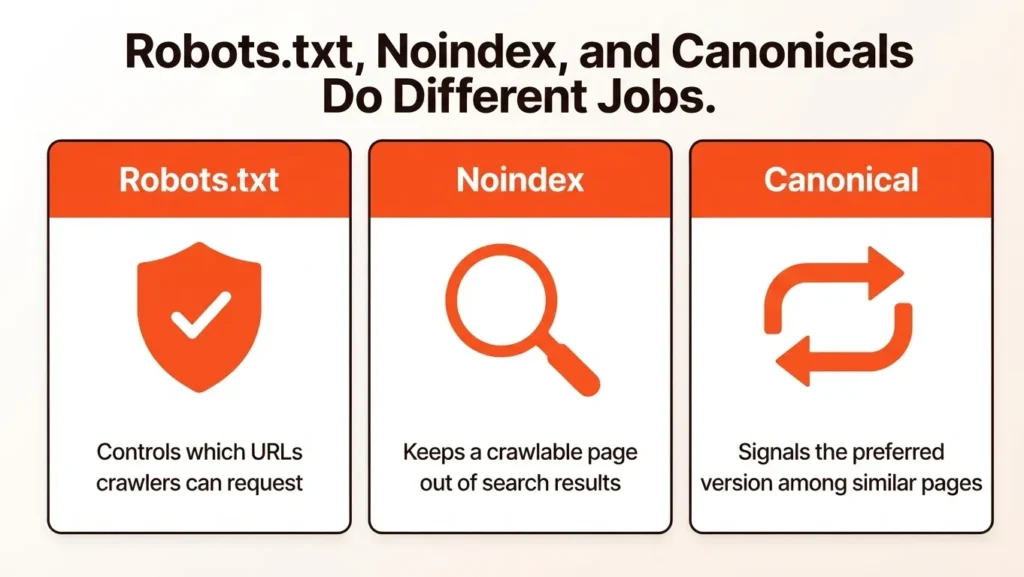
Do not block a duplicate URL with robots.txt when Google needs to crawl the page to see a noindex or canonical directive. Do not use noindex when your goal is to consolidate signals to another URL. Do not assume a canonical tag removes every crawl path.
Shopify generates a default robots.txt file and supports customization through robots.txt.liquid. Any modification requires careful testing because an incorrect rule can restrict access to valuable pages or resources.
6. Thin Collection and Product Content
Collection pages often receive less attention than product pages, even though collection pages can target valuable commercial keywords. A product grid without useful supporting content gives search engines limited context about the category.
Improve collection page content with concise, useful information about product types, features, use cases, materials, compatibility, sizing, or buying considerations. Add relevant internal links to subcollections, guides, and important products where those links help shoppers.
Product pages need original descriptions rather than copied manufacturer text. Explain features, benefits, specifications, use cases, compatibility, and purchasing considerations in your own words. Unique content gives each product page a clearer purpose and reduces duplication across your store and other websites.
Do not add large blocks of SEO copy simply to increase word count. Content should answer buying questions and support the page’s commercial intent.
7. Slow Themes and Shopify App Bloat
A Shopify store can become slower as new apps, tracking scripts, widgets, media, and theme customizations accumulate. An app can add JavaScript, CSS, reviews, recommendations, popups, analytics, schema, or other storefront functionality. Multiple apps can create overlapping code and technical conflicts.
Review every installed app and ask whether the functionality remains necessary. Check whether an app loads sitewide or only on relevant templates. Remove unused app embeds and inspect the theme for code left behind after app removal.
Optimize images, lazy-load non-critical media, reduce unnecessary JavaScript and CSS, and avoid loading large libraries when a lighter implementation is available. Use PageSpeed Insights, Lighthouse, Chrome DevTools, and Core Web Vitals reports to identify performance bottlenecks.
Speed optimization should focus on important product, collection, and landing pages rather than one generic homepage score.
8. Weak Internal Linking and Orphan Pages
A strong Shopify site structure helps Google discover important pages and helps shoppers move from broad categories to specific products. Problems arise when valuable products sit several clicks away from the homepage, collection pages lack contextual links, or important pages have no internal links.
Build a logical hierarchy from homepage to collections, subcollections, products, and supporting content. Link important products from relevant collection pages and connect blog content to commercial pages where the relationship is useful.
Audit for orphan pages, broken internal links, unnecessary redirects, and links pointing to non-preferred product URLs. Keep important pages accessible within a small number of meaningful navigation steps, especially on large ecommerce stores.
Internal linking is particularly important when Shopify’s fixed URL structure limits how deeply you can express categories through URLs. Navigation and contextual links can provide the structure that URL folders cannot.
9. Missing or Incomplete Schema Markup
Schema markup gives search engines structured information about page entities such as products, offers, reviews, breadcrumbs, articles, and organizations. Shopify themes may include some structured data, but implementation quality varies by theme and customization.
Check product pages for accurate Product structured data, including information that matches visible content. Validate breadcrumb and other relevant schema types where appropriate. Remove duplicate schema output when multiple apps or theme components generate overlapping markup.
Structured data does not guarantee rich results or higher rankings. The value comes from giving search engines clearer machine-readable information and making eligible pages easier to interpret.
10. Redirect Chains, Broken Links, and Migration Errors
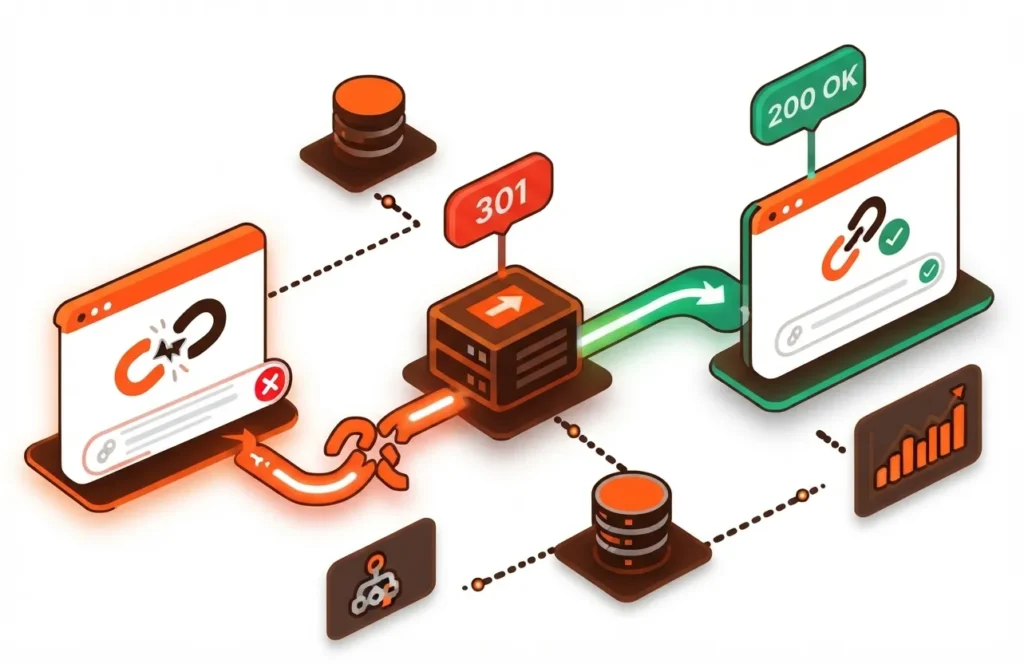
Shopify SEO issues frequently appear after product handle changes, collection changes, theme rebuilds, migrations, or large catalog cleanups. A page can move from one URL to another, while internal links, canonical tags, and sitemaps continue using older paths.
Create redirects when important URLs change. Update internal links to point directly to the new destination instead of relying on redirects. Watch for redirect chains, redirect loops, irrelevant destinations, and deleted products that send users to unrelated pages.
After a migration, crawl the important URL set and check status codes, titles, H1s, canonical tags, internal links, XML sitemaps, structured data, and indexation. Migration SEO should be planned before launch rather than treated as post-launch cleanup.
11. Poor Pagination and Crawl Paths
Pagination itself is not a Shopify SEO problem. The issue occurs when pagination creates unnecessary crawl paths, weak pages, or poor product discovery. Large collections can contain page 1, page 2, page 3, and additional URLs that search engines must evaluate.
Keep paginated collection pages accessible when they help users and search engines discover products. Make sure important products can be reached through clear internal links and that pagination does not become the only route to valuable pages.
Review pagination alongside collection architecture, filters, internal links, and XML sitemaps. A crawl audit can reveal whether search engines are spending excessive resources on low-value URL combinations.
12. Weak Content Strategy Limits Organic Growth
Technical SEO cannot compensate for a store that targets too few search intents. Product and collection pages capture commercial searches, but helpful blog content can address informational queries earlier in the buying journey.
Start with keyword research and group terms by search intent. Use transactional terms on product pages, commercial terms on collections, and informational terms in blog content. Build related topic clusters and link supporting articles to relevant collections and products.
Create content that answers real customer questions, explains product selection, compares options, solves problems, and supports purchase decisions. A strong Shopify blog SEO strategy can expand organic reach while strengthening topical relevance across the store.
13. International Shopify SEO Can Become Complex
Stores that target multiple countries or languages need more than translated product descriptions. Country-specific domains or subfolders, localized content, currency, language targeting, and hreflang implementation need to work together.
Review whether each regional page has the correct language and market signals. Avoid creating multiple versions with nearly identical content and unclear geographic targeting. International SEO becomes more important when a Shopify store operates across several markets and has separate product or collection strategies for each region.
14. Image Optimization Problems Affect SEO and UX
Large product images can add substantial page weight, particularly on collection pages with many products. Poor alt text can reduce accessibility and remove useful context from image search.
Use descriptive alt text when an image communicates meaningful product information. Avoid keyword stuffing or repetitive descriptions. Use responsive image handling, appropriate dimensions, and modern image formats where supported.
Do not lazy-load the primary above-the-fold image when doing so delays the main content. Below-the-fold images can use lazy loading to reduce initial page weight.
How to Prioritize Shopify SEO Fixes
Start with indexation problems because low-value URLs can affect large parts of an ecommerce site. Check filters, duplicate variants, search URLs, empty collections, canonical conflicts, and sitemap inconsistencies.
Next, fix crawl access and discovery. Review broken links, redirect chains, orphan pages, JavaScript-dependent discovery, and pagination. Then fix template signals such as H1 headings, titles, meta descriptions, canonicals, breadcrumbs, schema, and image attributes.
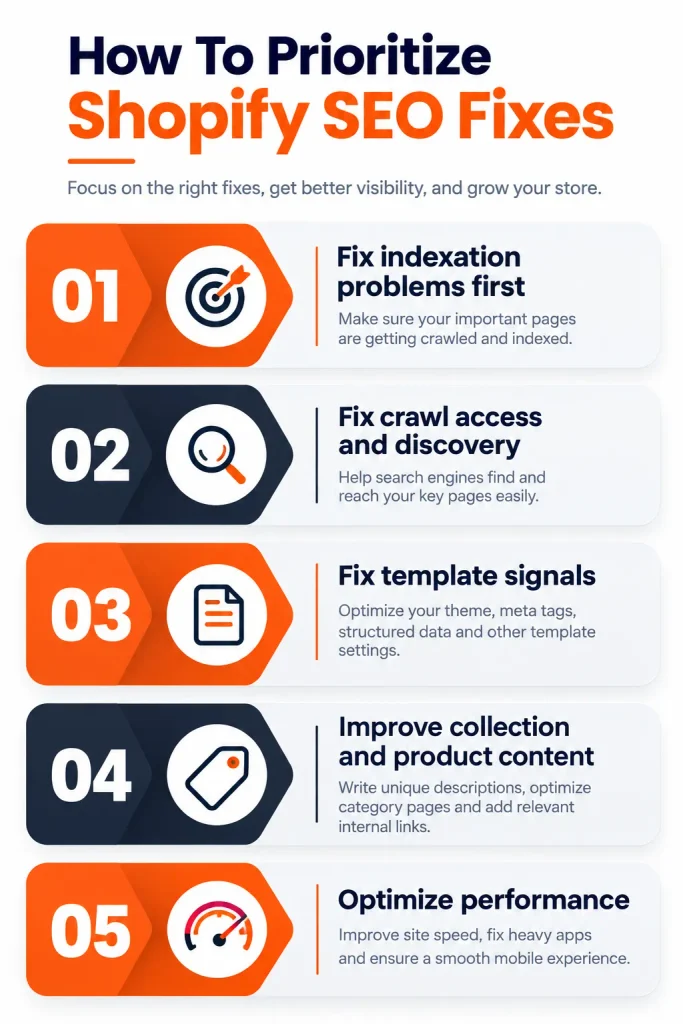
After the technical foundation is stable, improve collection and product content. Finally, address theme performance, app bloat, content expansion, backlinks, and ongoing monitoring.
This order prevents low-impact changes from consuming resources while structural problems remain unresolved.
How to Audit a Shopify Store for SEO Issues
A Shopify SEO audit starts with key pages that generate or should generate revenue. Compare indexation, canonical URLs, titles, H1 headings, internal links, content, and performance. Review Google Search Console for indexing and use Google Analytics 4 (GA4) to compare landing pages with conversions.
Run a crawl to identify status codes, duplicate titles, missing metadata, orphan URLs, redirect chains, and inconsistent canonicals. Inspect templates because a crawler may not reveal how a theme renders headings, filters, JavaScript, or structured data.
Review the XML sitemap against indexable URLs. Important product and collection pages should be discoverable through internal links. Test theme changes because template edits can affect metadata, headings, structured data, and navigation. Re-crawl affected URL patterns after deployment.
Shopify SEO Issue FAQs
What are the most common Shopify SEO issues?
The most common Shopify SEO issues include duplicate collection and product URLs, uncontrolled filter pages, missing H1 headings, weak metadata, thin content, app bloat, slow themes, poor internal linking, incomplete schema markup, and redirect problems.
Is Shopify bad for SEO?
No. Shopify is not bad for SEO. It provides important SEO foundations such as SSL, automatic XML sitemaps, canonical tags, editable metadata, and a scalable ecommerce structure. SEO problems usually arise from configuration, theme code, apps, content, internal linking, or platform limitations that are not managed correctly.
How do I fix duplicate content on Shopify?
Start by identifying every URL pattern that produces duplicate or near-duplicate content. Use canonical tags, consistent internal links, redirects, and sitemap signals to identify the preferred version. Control low-value filter and tag URLs based on search value rather than blocking every filtered page.
Can I edit Shopify robots.txt?
Yes. Shopify provides a default robots.txt file and supports customization through robots.txt.liquid. Make changes carefully because incorrect crawl rules can prevent search engines from accessing important resources or pages.
Do Shopify apps hurt SEO?
Not automatically. Shopify apps can support SEO, analytics, reviews, structured data, and conversion rate optimization. Problems arise when apps add unnecessary JavaScript, duplicate functionality, conflicting metadata or schema, or leave code behind after removal. Audit app impact instead of assuming every app is harmful.
When should I get help with Shopify SEO problems?
Get professional help when your store has large-scale duplicate URLs, faceted navigation issues, migration risk, Liquid template problems, conflicting apps, schema errors, redirect chains, slow revenue pages, or unexplained organic traffic changes. These problems often require SEO and development work together.
Final Takeaway
Shopify SEO issues are usually manageable when you identify the underlying URL, template, content, performance, or architecture problem instead of treating every ranking decline as a platform limitation. Start with indexation and crawlability, then review canonicalization, H1 headings, metadata, internal linking, content, schema, redirects, and performance.
Your Shopify store can compete effectively in organic search when the technical foundation and content strategy work together. Regular SEO audits are essential because new products, collections, apps, theme updates, migrations, and content changes can introduce new problems.
If you need expert help identifying and fixing common Shopify SEO problems, SEO Agency Toronto can assess your store’s technical SEO, product and collection pages, content structure, internal linking, and performance. The goal is not simply to find errors. The goal is to prioritize the issues that can improve search visibility, qualified organic traffic, and ecommerce growth.